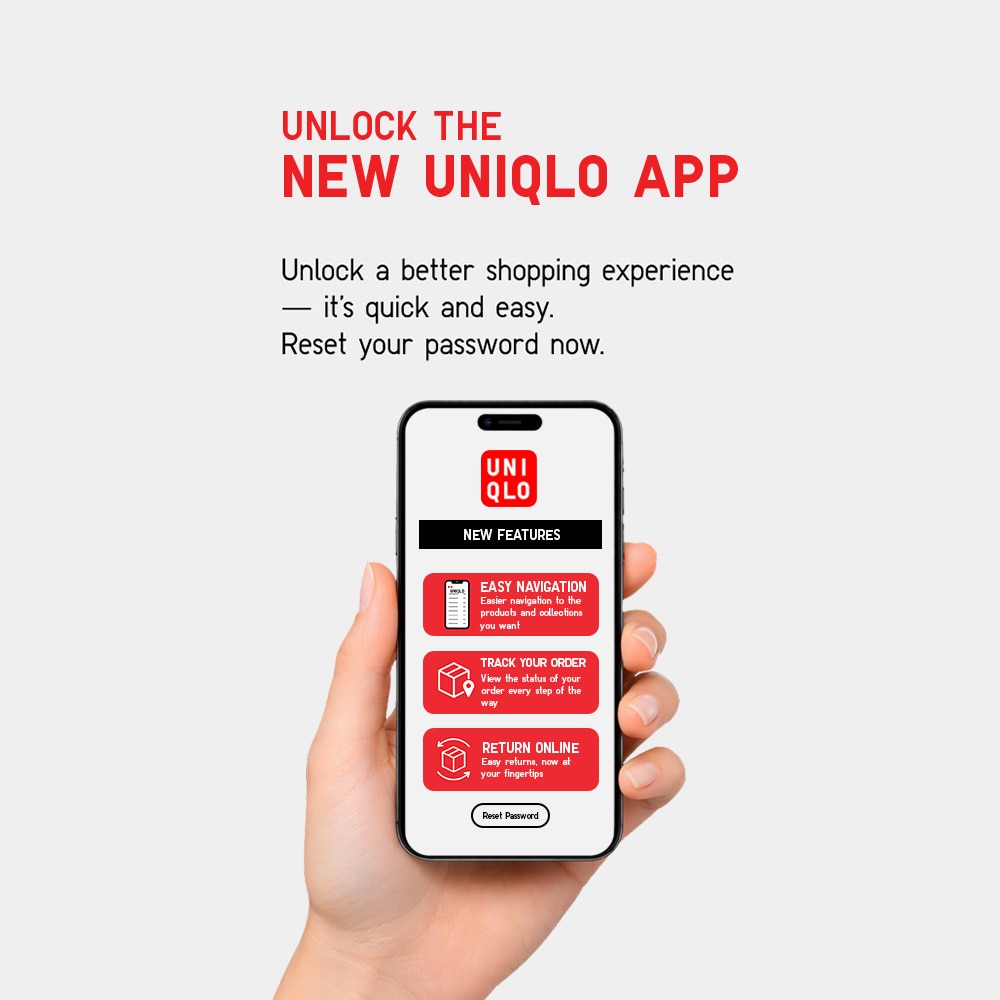

STEP 1
Update your UNIQLO APP

STEP 2
Reset your password inside the APP.
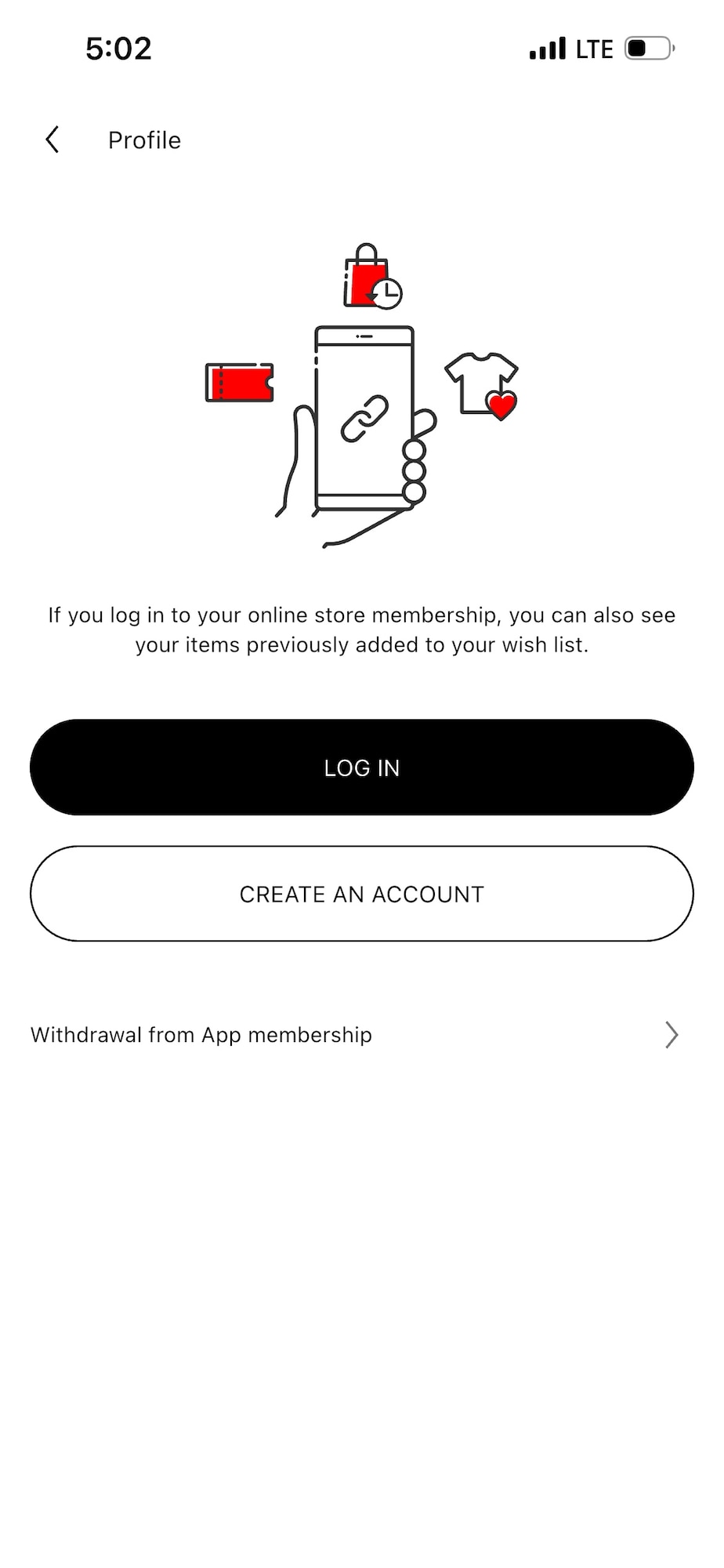
Under Membership tab > Select "Profile"
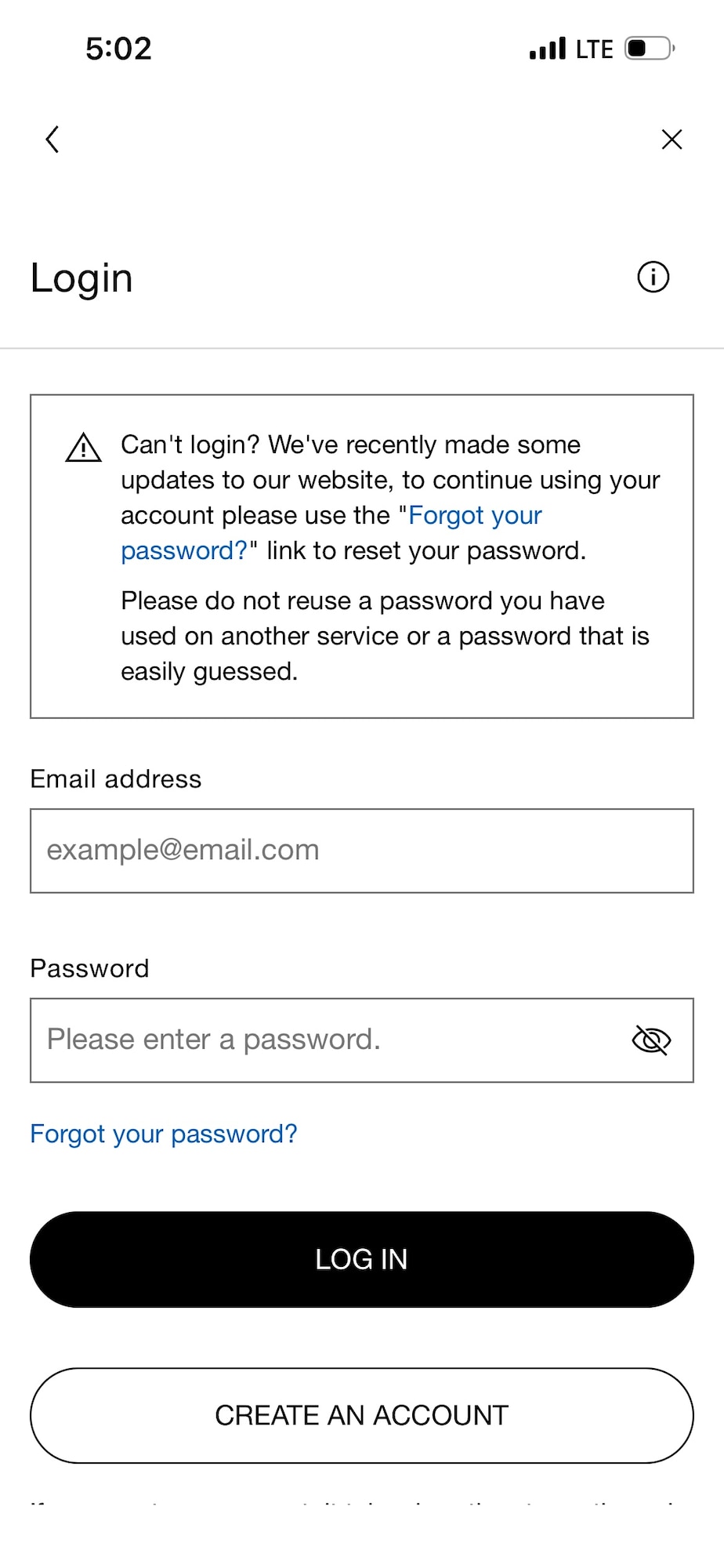
Click "Forgot your password"
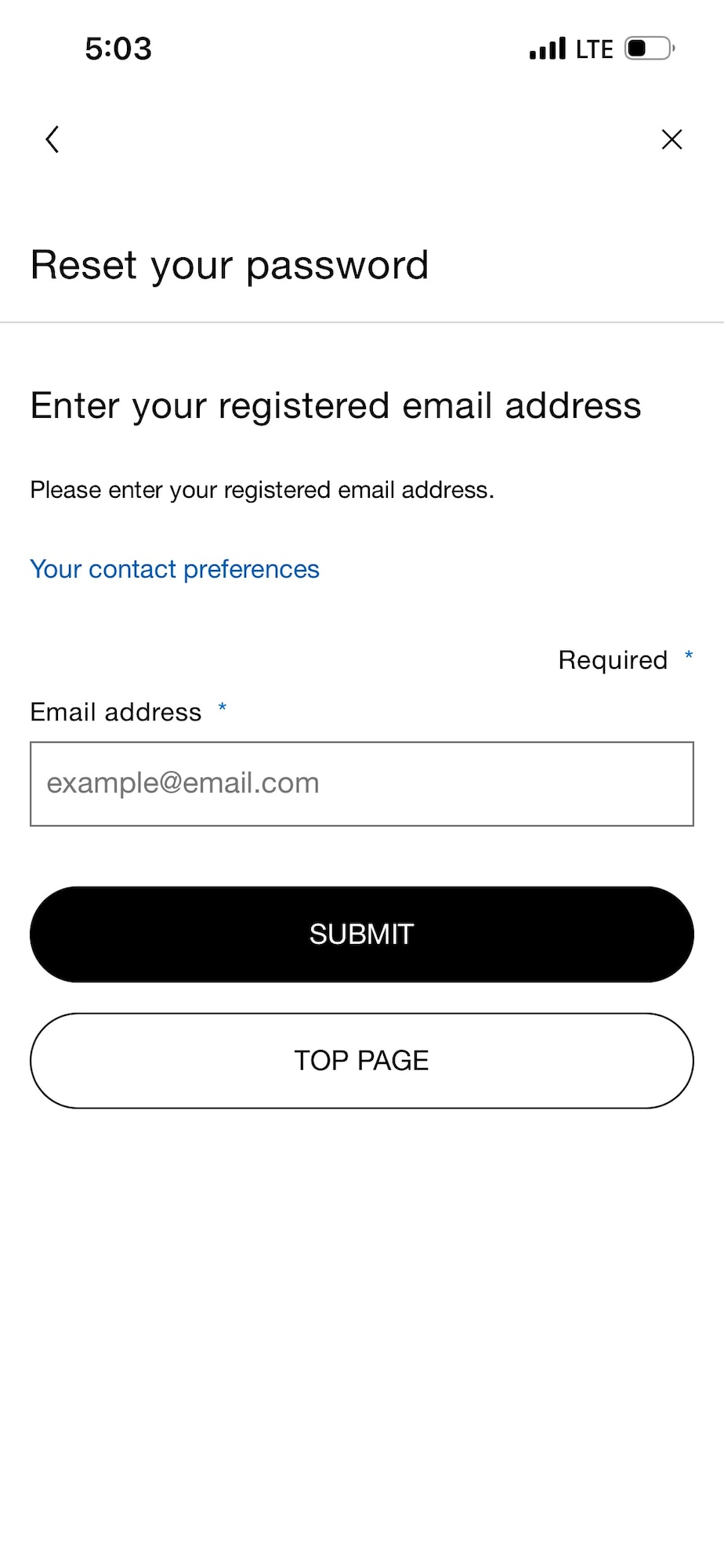
Enter your registered email address > Click "Submit"
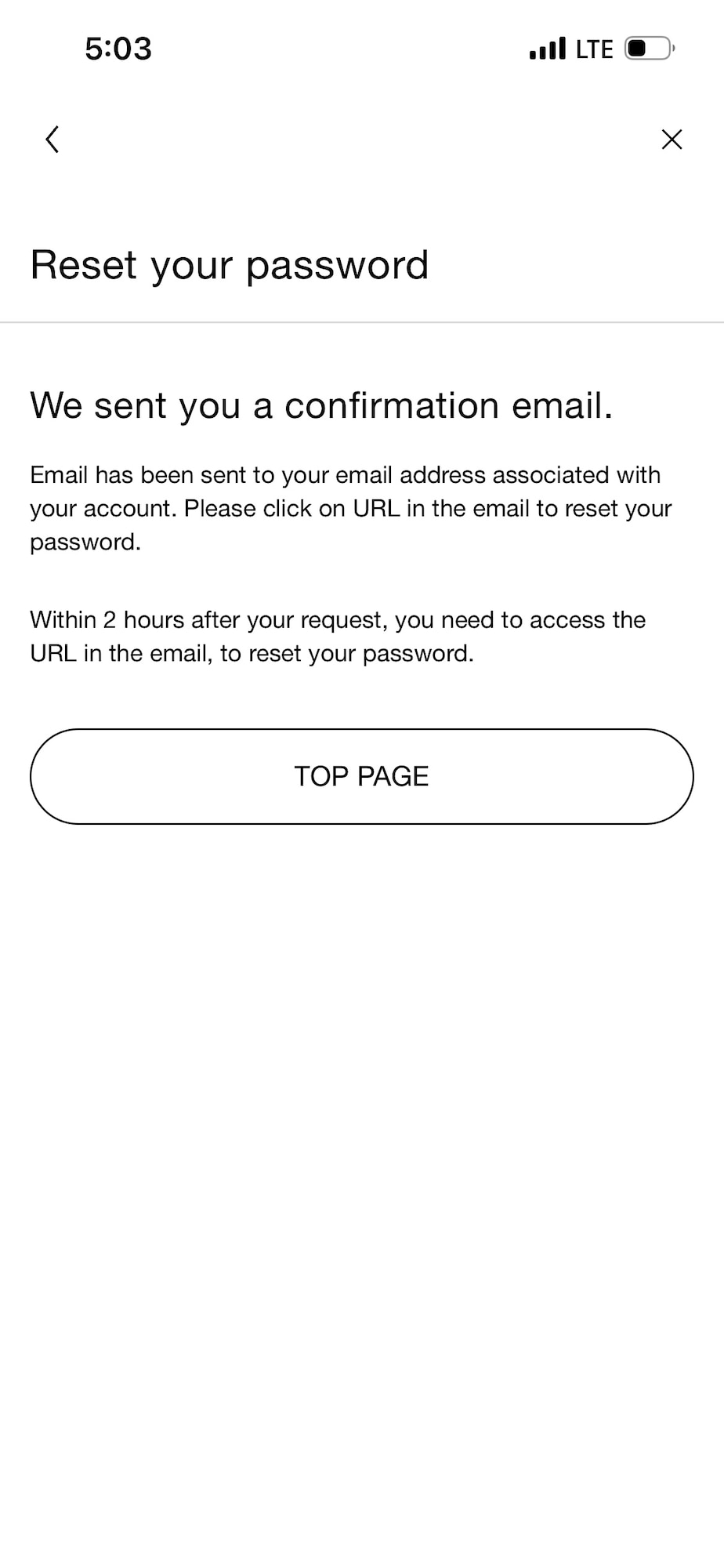
You will receive an email to reset your account password
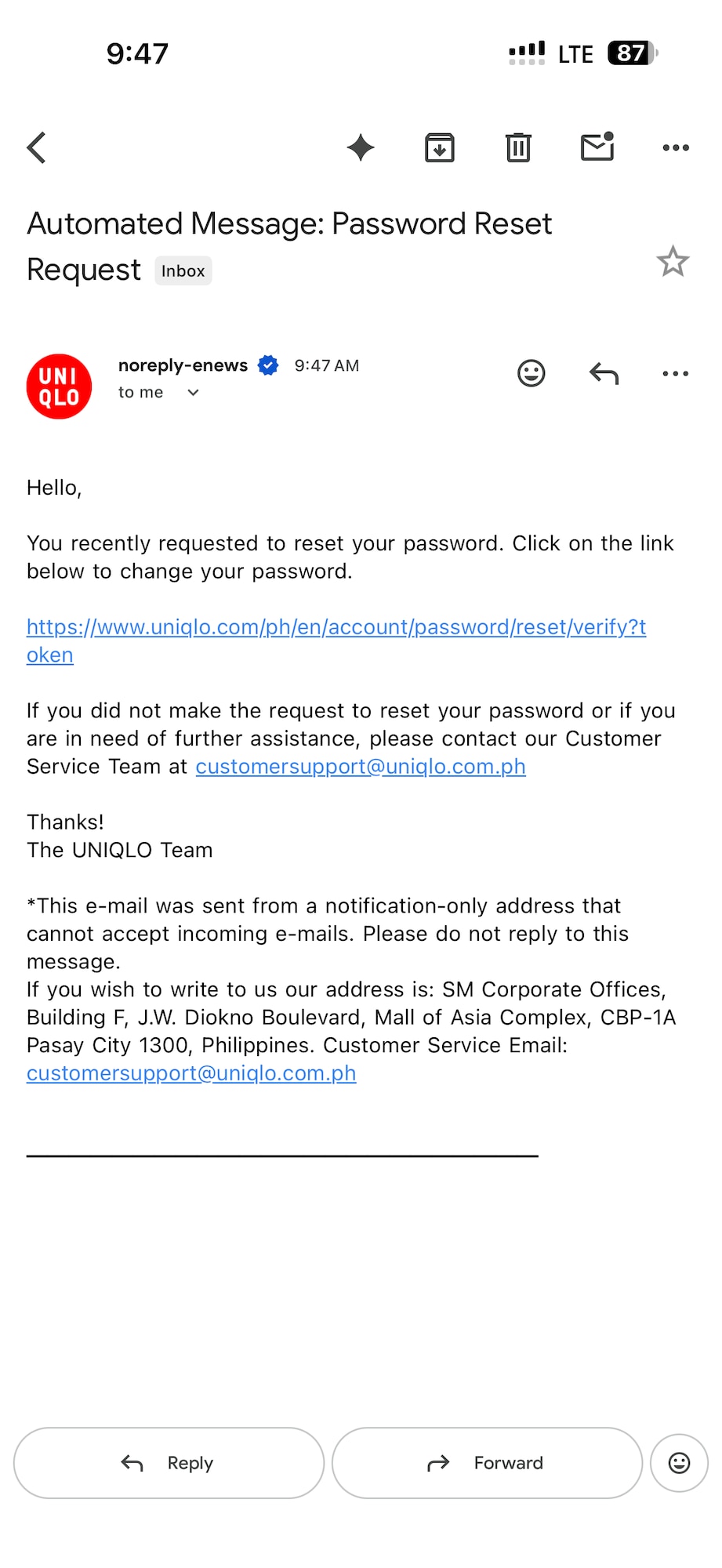
Click the Link to reset your password
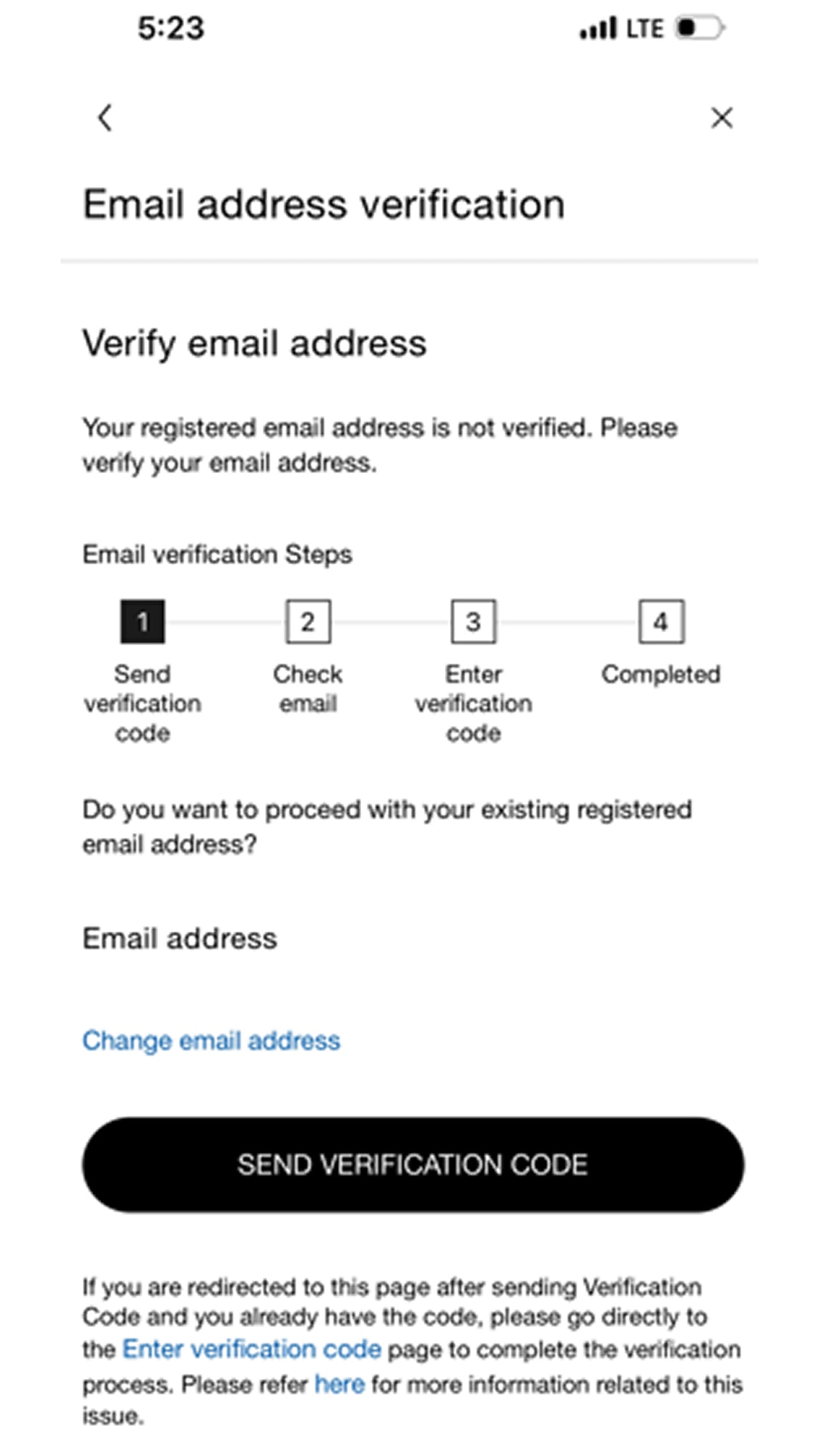
Click "Send Verification Code"
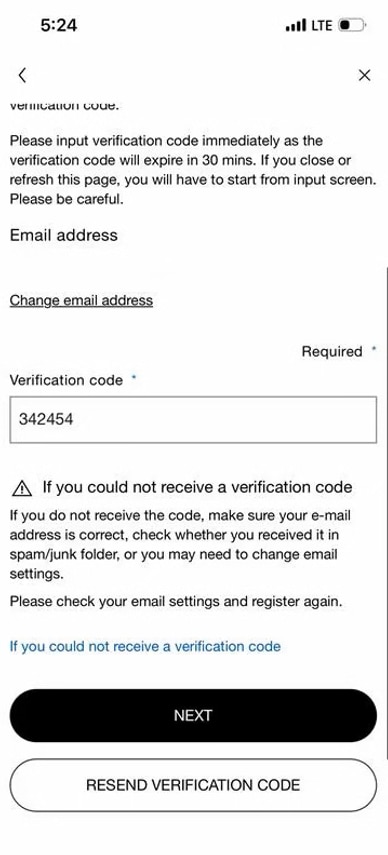
Type the 6-digit verification code > Click "Next"
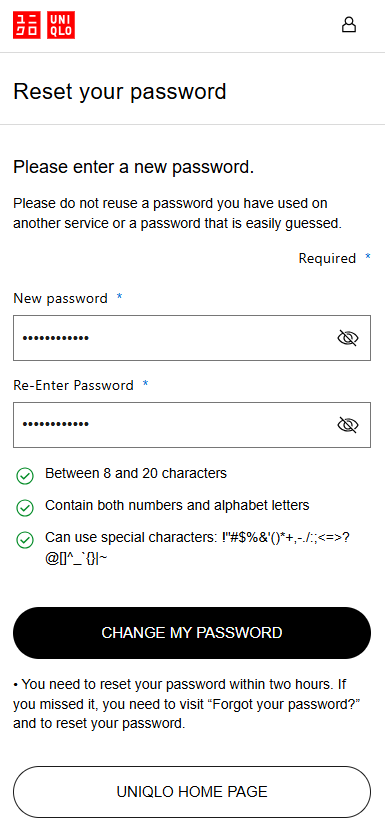
Create New Password > Click "Change My Password"


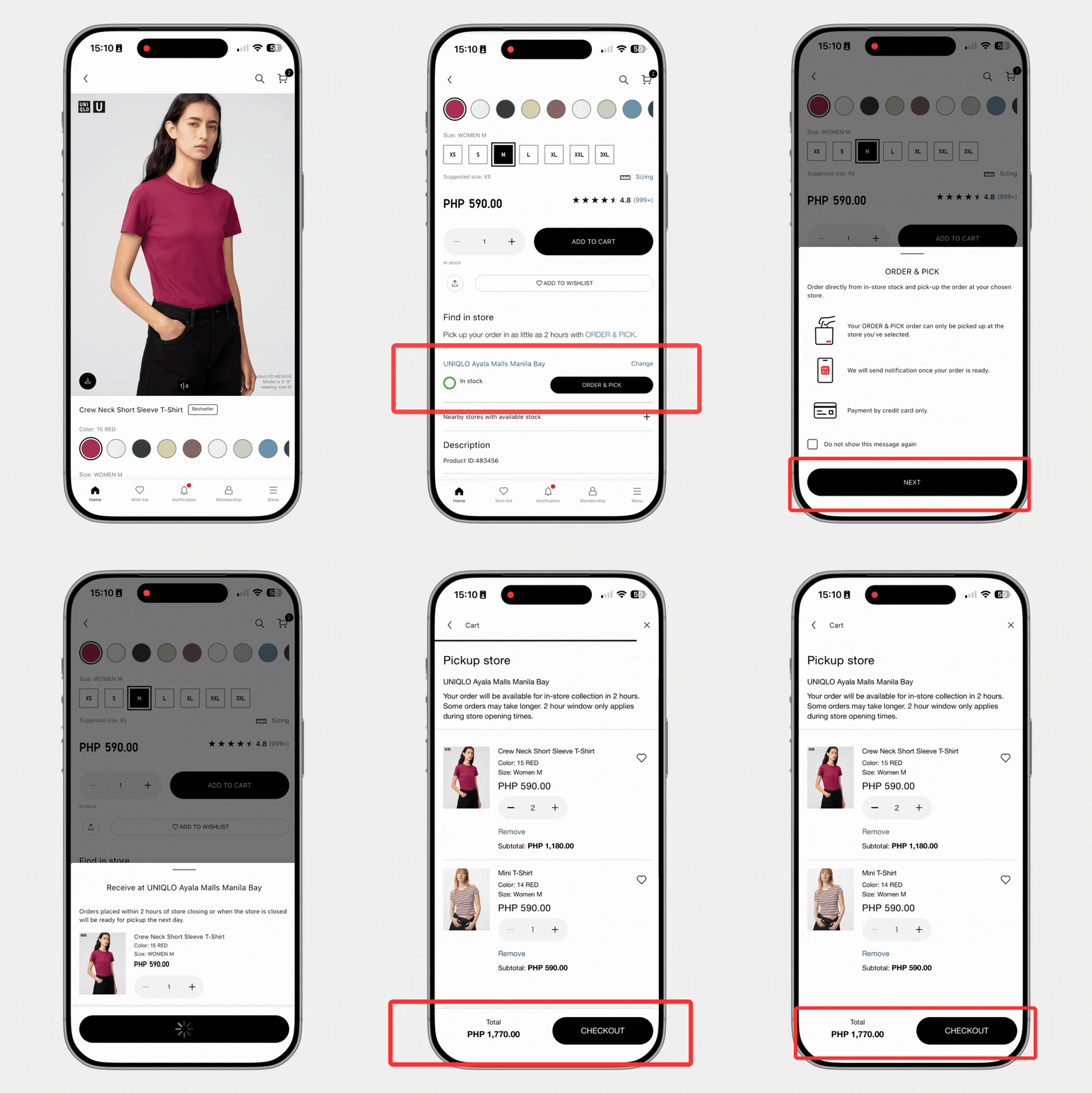
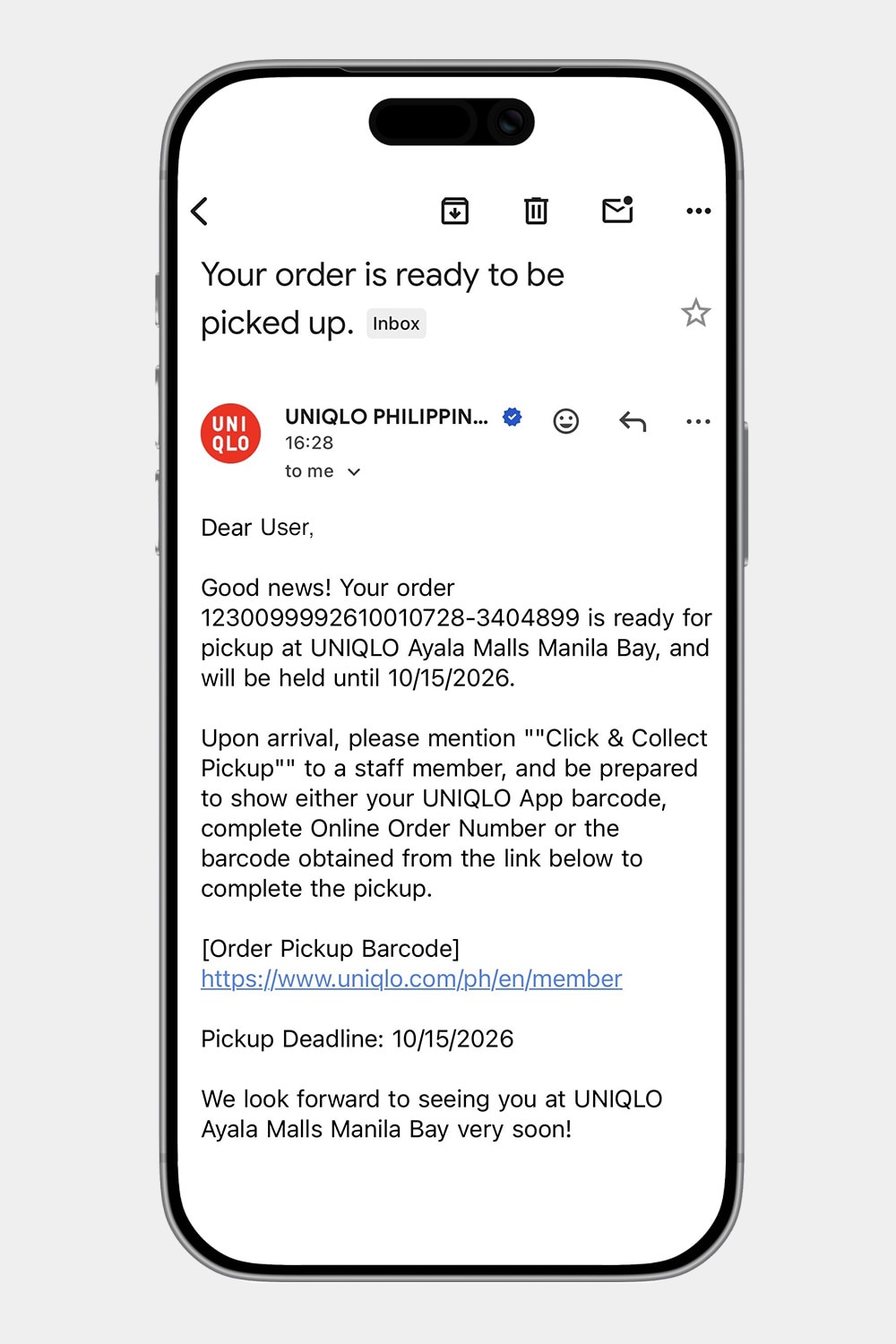


Shop online anytime and collect your orders at a UNIQLO Store of your choice.
Know More


to receive PHP 300 coupon for every purchase of PHP 3,000 or more.
Download the UNIQLO App Download the UNIQLO AppShop these items exclusively available online and in UNIQLO Manila Global Flagship Store, UNIQLO SM Mall of Asia, UNIQLO BGC High Street, UNIQLO SM Megamall and UNIQLO Greenhills Mall.
Shop 3XL in the UNIQLO App
Shop your favorite bottoms now available in longer lengths